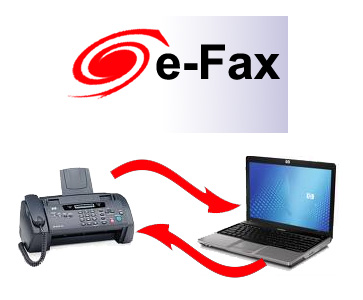
Sending and receiving fax is frequent in today’s business. Sometimes it is very inconvenient for the business firms which do not have a fax machine. One also might have to make use of fax center which is not at all an economical option.
Now, one can send the fax throughout Google Docs. The Interfax Service turns the Google Docs into a fax machine. One can fax the documents from any part of the world from the browser by just attaching the files and it will be faxed. All the activities and incoming and outgoing faxes can be tracked with the help of Google Calendar. The detailed report can be exported into spreadsheets.
Here is the step by step procedure to send fax using Google Docs
– Firstly make sure Google Docs is activated in interfax. It can be activated through external applications settings.
– Open the Google Document that has to be faxed. Click on “Fax This” Bookmarklet. Bookmarklet will be installed according to your internet browser. If you are using Google Chrome then just drag the Interfax control panel to Bookmarks toolbar.
– After this, a dialog box will appear where one needs to enter the destination fax number.
Pricing Details:
The pricing details depend on the country as well as the size of the document. One needs to get a minimum credit of $10. If the document has to be sent to US then it costs 13 cents, if UK then it costs 15 cents and if it has to be sent to India then it costs 60 cents.
One can test the Interfax service for a trial period of 14 days. There are no obligations and various terms and conditions.
Receiving faxes:
If you receive a fax then the fax is saved automatically in Google Docs. They will be converted into PDF documents. You just need to configure Interfax so that the incoming faxes land in Google Docs account. The inbound faxes can also be shared with other team members.
I like the valuable info you provide in your articles. I’ll bookmark your weblog and check again here regularly. I’m quite certain I’ll learn many new stuff right here! Best of luck for the next!